Dumpster Gang Tools
Bindings, specs, and setup helpers for raccoon chaos.
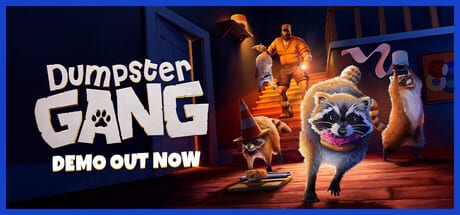
The Tools Hub collects practical setup pages for Dumpster Gang: how to move, vault, throw, and call hat skills on keyboard or pad, plus the PC hardware floor you need before launch day. Coyote House Games and Curve Games are shipping a raccoon co-op sandbox for one to four players (with a full solo path), so clean bindings and a stable frame rate matter as much as knowing where to stash loot.
Use this hub when you are installing the free demo, checking whether your machine clears DirectX 12 specs, or remapping inputs before a first Getting Started session. Sibling pages go deeper; this overview tells you which tool to open next.
What lives under Tools
- Controls — default keyboard, Xbox, and DualSense-style mappings reported from the demo, with notes on remapping, vault holds, throw aim, pings, and snacks.
- System Requirements — minimum and recommended PC specs, Game Pass and Xbox PC install notes, and an honest Steam Deck unverified callout until official Deck verification lands.
Both pages stay focused on facts players can act on. For mission flow, hideout cosmetics, and Exterminator escapes, jump to the Guides Hub instead of duplicating walkthroughs here.
Why bindings matter in Dumpster Gang
Dumpster Gang rewards messy creativity: grab furniture, lockpick doors, climb ledges, and yeet junk while the Exterminator closes in. Those verbs stack under a few hotkeys. If interact and drop sit on awkward fingers, you will fumble mid-chase. If sprint and crouch fight each other, slides feel accidental. Spend five minutes on Controls before a co-op lobby so every raccoon in the squad shares the same muscle memory for pings and hat skills.
Controller players on Xbox pads or DualSense-class sticks get the same verbs mapped to face buttons, triggers, and D-pad utilities. The demo already exposes remapping; treat the tables as community-reported defaults, then customize. When you later read the co-op guide or solo guide, those tips assume you can vault, aim-throw, and ping without hunting the keyboard.
Specs before you wishlist harder
PC launches December 3, 2026 on Steam, Xbox PC, and PC Game Pass. Consoles follow in March 2027. Until then, the free demo on Steam (app 4895870) and Xbox PC is the best hardware stress test. Open System Requirements for the published minimum (GTX 1050 / RX 550 class) and recommended (GTX 1660 Ti / RX 5700 class) lines, then run the demo through the suburban house, farm, and forest training spaces. If the demo stutters during chaos, fix drivers and settings early rather than on launch night.
Steam Deck is popular for couch co-op, but Dumpster Gang is not officially verified on Deck at the time of writing. Expect to experiment with TDP, FSR, and cloud saves if you try it. Pair that honesty with the demo overview so you know which scenes the free build includes.
How Tools links to the rest of the wiki
Tools pages answer how to press and what to install. Content strategy lives elsewhere:
- Start onboarding in Getting Started and the demo walkthrough.
- Plan roles and hat ability picks on the Tier List Hub.
- Track PC and console dates on Release Date inside the Updates Hub.
- Bookmark official Steam, Discord, and socials from the Links Hub.
- Practice Exterminator chases with Escape the Exterminator and dress the base via Hideout and Hats.
Cross-link these hubs whenever a tip depends on a binding or a GPU check. A guide that says “hold jump to climb” is clearer when readers already know Space / A / Cross is the vault hold on their device.
Suggested setup order
- Confirm your PC clears the system requirements floor, or install through Game Pass / Xbox PC if that is your storefront.
- Launch the demo, finish the tutorial, then open remapping if any default feels wrong.
- Print or pin the controls tables for keyboard or pad until muscle memory sticks.
- Read Getting Started and pick a first mission path—suburban house, farm, or forest training.
- Align co-op roles on the tier list before inviting friends from Discord.
Keep this hub honest
Dumpster Gang is still pre-full-release. Defaults can shift between demo builds and the December 2026 PC launch. When Curve Games or Coyote House Games publish a patch note that changes binds or raises the GPU floor, this hub and its children should update in lockstep with Updates. Until then, treat demo-reported mappings as the best public baseline, always note that remapping exists, and never invent hat names or unverified Deck ratings.
If you only open one Tools page today, choose Controls for play and System Requirements for install. Everything else on the wiki assumes those two foundations are solid.
Frequently Asked Questions
Quick answers for Dumpster Gang players.
What pages are in the Dumpster Gang Tools hub?
Controls covers keyboard, Xbox, and DualSense-style defaults from the demo. System Requirements lists PC minimum and recommended specs plus Game Pass and Steam Deck notes.
Should I remap before learning missions?
Yes if any default feels awkward. Finish the tutorial once, then remap interact, throw, ping, and hat skill so co-op callouts stay consistent.
Do Tools pages replace guides?
No. Tools explain inputs and hardware. Mission flow, solo tips, co-op roles, and Exterminator escapes live under Guides and the Tier List Hub.
Where do I check release platforms?
See the Release Date page under Updates for the December 3, 2026 PC launch and March 2027 console window.